Tutorials
How to Launch a Memecoin on Solana
Learn how to launch a memecoin on Solana, from creating the token to adding liquidity and verifying everything on-chain.
On this page
Before you start
- Phantom wallet
- Some SOL
- Token name
- Token logo
- Initial liquidity
1. Create your token
Start by creating your SPL Token. Choose a name, symbol, description and upload a logo. This information becomes your token's on-chain metadata.
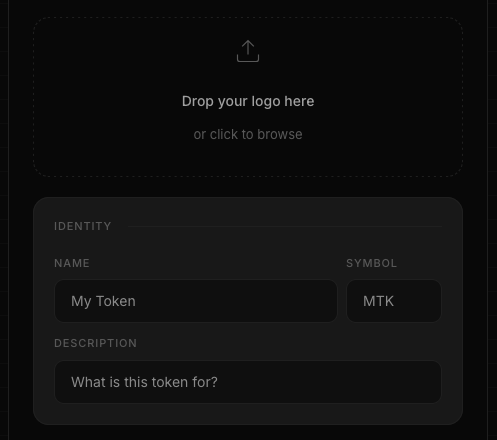
2. Review supply and fees
Choose the initial supply and decimals. Before signing the transaction, Token Creator displays all fees so you know exactly what you are paying.
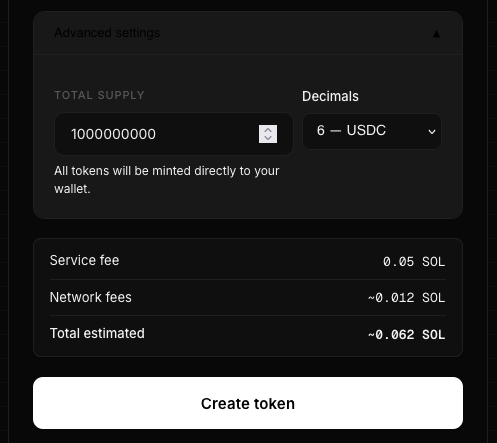
3. Secure your token
After creating the token, revoke the Mint Authority if you want a permanently fixed supply. Many projects also revoke the Freeze Authority to increase transparency.
💡 Best practice
Most community memecoins revoke both Mint Authority and Freeze Authority after launch.
4. Create your liquidity pool
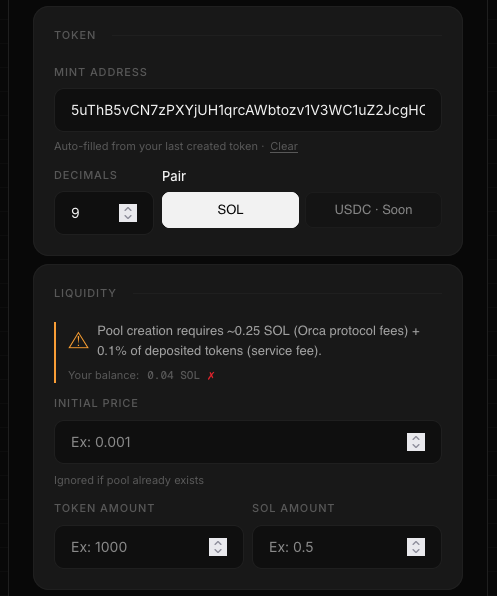
A token cannot be traded until liquidity is available. Deposit your token and SOL into a liquidity pool to establish the initial market price.
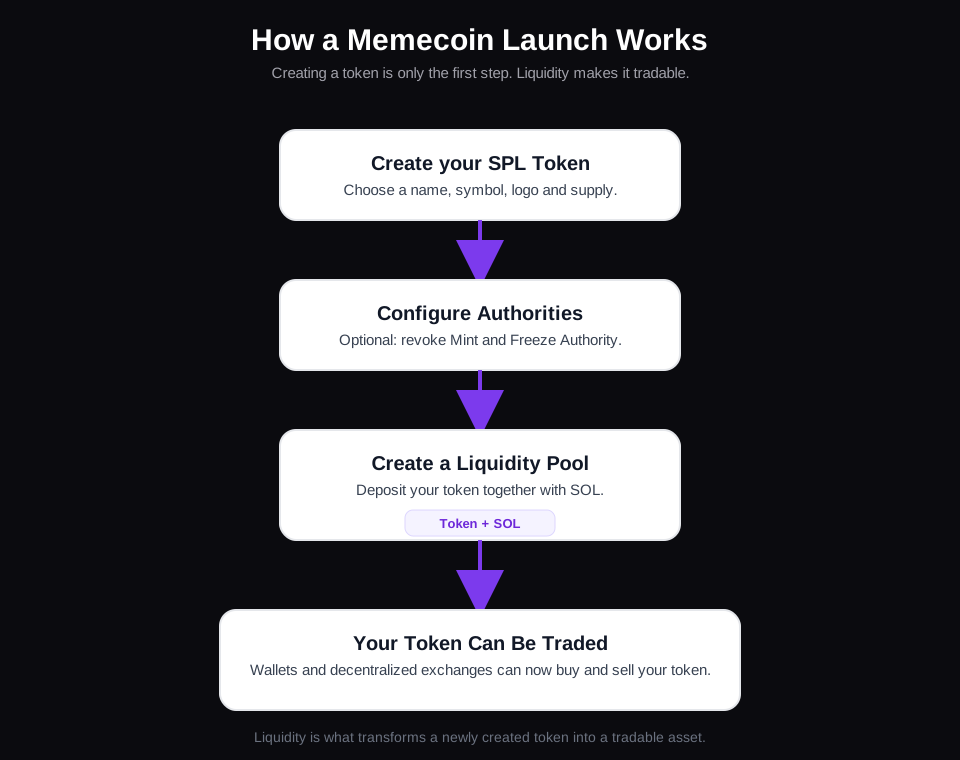
ℹ️ Want to understand these settings?
This guide focuses on launching a memecoin. If you want to learn how the Initial Price, Token Amount, SOL Amount and Orca Whirlpool settings work in detail, read our complete Liquidity Pool guide.
5. Verify everything
Before announcing your launch, verify your token on Solscan and confirm that the metadata, supply, authorities and liquidity are correct.
ℹ️ Launch checklist
Metadata uploaded ✓ Supply verified ✓ Authorities configured ✓ Liquidity added ✓
Frequently Asked Questions
How much SOL do I need to launch a memecoin?
You need enough SOL to create the token, pay the network fees and provide your initial liquidity.
Should I revoke Mint Authority?
Most fixed-supply memecoins revoke Mint Authority after launch so no additional tokens can ever be minted.
Why do I need a liquidity pool?
Without liquidity, other users cannot buy or sell your token on decentralized exchanges.
Can I launch a memecoin without coding?
Yes. Token Creator lets you create the token and liquidity pool directly from your browser.
Ready to launch your own token?
Create an SPL token directly on Solana in less than a minute. No coding. No custody. Everything happens on-chain from your wallet.
Create your token →Continue reading
How to Create a Solana Token
Learn how to create your own SPL Token on Solana in just a few minutes, from choosing a name to verifying it on-chain.
What is Mint Authority?
Learn what mint authority is on Solana, why it matters for your token, and when you should revoke it.
What is Freeze Authority?
Learn what Freeze Authority is on Solana, when it should be revoked, and why investors pay close attention to it.
What is Token Metadata?
Learn what Token Metadata is on Solana, what information it stores, and why wallets use it to display your token.